AI Agent CRM
An AI that actually knows your CRM.

What "AI in your CRM" usually means today
A chat sidebar that doesn't know your data exists.
- It can summarize a contact you're already looking at, but can't build a view across your pipeline.
- Every action is a recipe — "go to Reports, click +, choose grouping" — instead of just doing the thing.
- It's a bolt-on, billed separately, and gets shut off the first time someone asks "who at the vendor can read this?"
How Nexus is different
The canvas is the surface. Tools are the substrate.
60+ tools, bound to your schema
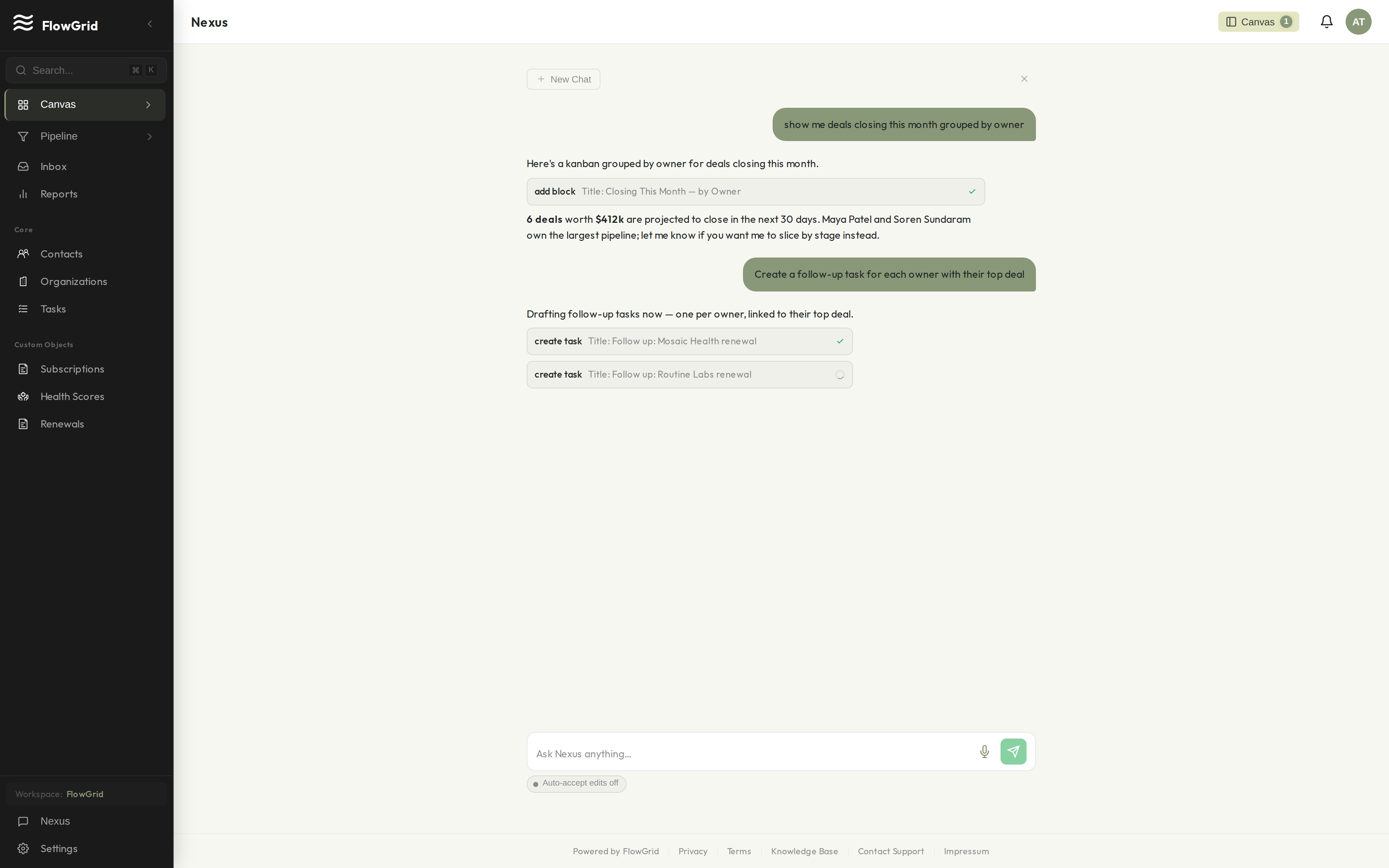
Type the question. Get the widget.
Nexus has tools wired into your contacts, organizations, deals, pipelines, custom objects, imports, automations, reports, and audit log. Ask in natural language; it picks the right tool sequence and renders a widget you can pin to the canvas.
Iterate by talking, not by clicking through configuration menus.
Sandboxed to your workspace
It can't see other tenants. Period.
Nexus runs against your tenant's schema only. Cross-tenant reads aren't a feature flag we forgot to set — they're a database-level impossibility (multi-tenant row-level isolation, enforced in Postgres).
Every tool call is logged in the workspace audit trail with the actor that initiated it — whether that's a human, Nexus, or your own agent.
Yours, not the model provider's
Your data isn't training material.
By default, prompts and outputs are processed for inference on AWS Bedrock in the EU, on a zero-retention configuration — payload content is not logged or used to train any model. The encryption story is the same as the rest of FlowGrid — field-level AES-256-GCM with tenant-scoped keys (see /security for the full picture).
Bring your own agent
Already running an agent? Wire it into Nexus's tools.
The same tool surface Nexus uses is exposed via API. Your own agent — LangChain, Letta, a custom orchestrator, whatever you've built — can call into your workspace with the same scoping and audit-log guarantees.
// Bring your own agent — call Nexus tools from outside FlowGrid
import { FlowGridClient } from "@flowgrid/sdk";

const client = new FlowGridClient({ apiKey: process.env.FLOWGRID_API_KEY });

const result = await client.tools.run("search_contacts", {
  query: "deals closing this month grouped by owner",
  scope: { workspaceId: "ws_…" },
});

// All tool calls are logged in the workspace audit trail with the
// agent identity that initiated them.
Verifiable, not assumed
We're early. Here's how you can verify us anyway.
How your data is protected
Field-level AES-256-GCM encryption with tenant-scoped keys. Multi-tenant row-level isolation. Every mutation logged.
Read the security details →Legal & compliance
GDPR-compliant with a Data Processing Addendum. Your legal contact can pull it now — not after a sales call.
Read the DPA →Built in public
v1.3.0 · Jun 20, 2026
v1.3.0
v1.2.0 · Jun 10, 2026
v1.2.0
v1.1.0 · Jun 2, 2026
v1.1.0
Built in public
We don't have customer logos to show you yet.
FlowGrid is early. Instead of borrowed credibility, here's what you can verify yourself:
Honest answers