For teams leaving Salesforce
Salesforce is built for a company you're not.

What small teams keep telling us about Salesforce
You were sold a platform. You needed a CRM.
- Nobody on the team can change a field without filing a ticket. Salesforce is powerful, but the power lives behind an admin — and a 5-to-50-person team rarely has one to spare.
- The per-seat bill keeps climbing, and most of it pays for editions, add-ons, and modules you opened once. You're funding an enterprise platform to run a small-team workflow.
- Every change is a project. A new pipeline, a new report, a new object — each one means a config session, a sandbox, or a consultant. The CRM became the work instead of supporting it.
How FlowGrid is different
A CRM you talk to, not a platform you administer.
Canvas, not configuration
Describe the view you want. It appears.
Salesforce gives you a configuration surface — objects, page layouts, profiles, permission sets — and expects someone to operate it. FlowGrid gives you a canvas you shape by talking to it. Type a prompt, get a widget. Iterate by describing the change, not by opening a setup menu.
No sandbox, no change set, no certification track. Custom objects, fields, and pipelines are there from day one — and a non-admin can ask for the next one.
AI in every seat, not an extra edition
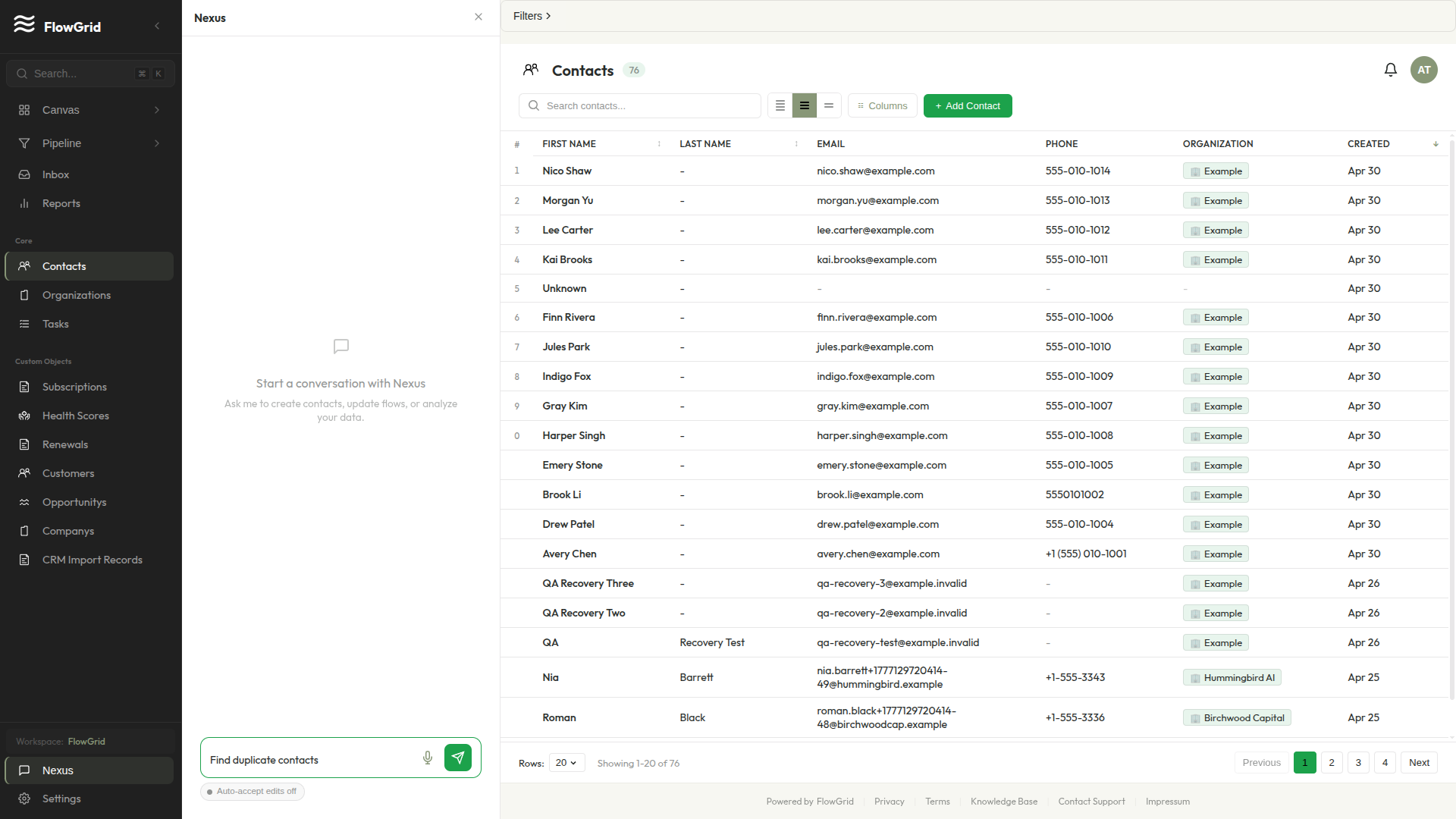
Nexus has 60+ tools bound to your schema.
Nexus isn't a generic assistant bolted onto a CRM. It has tools wired into your contacts, deals, pipelines, and custom objects, so asking it to build a report or add a field produces a real result — not a recipe for an admin to follow later.
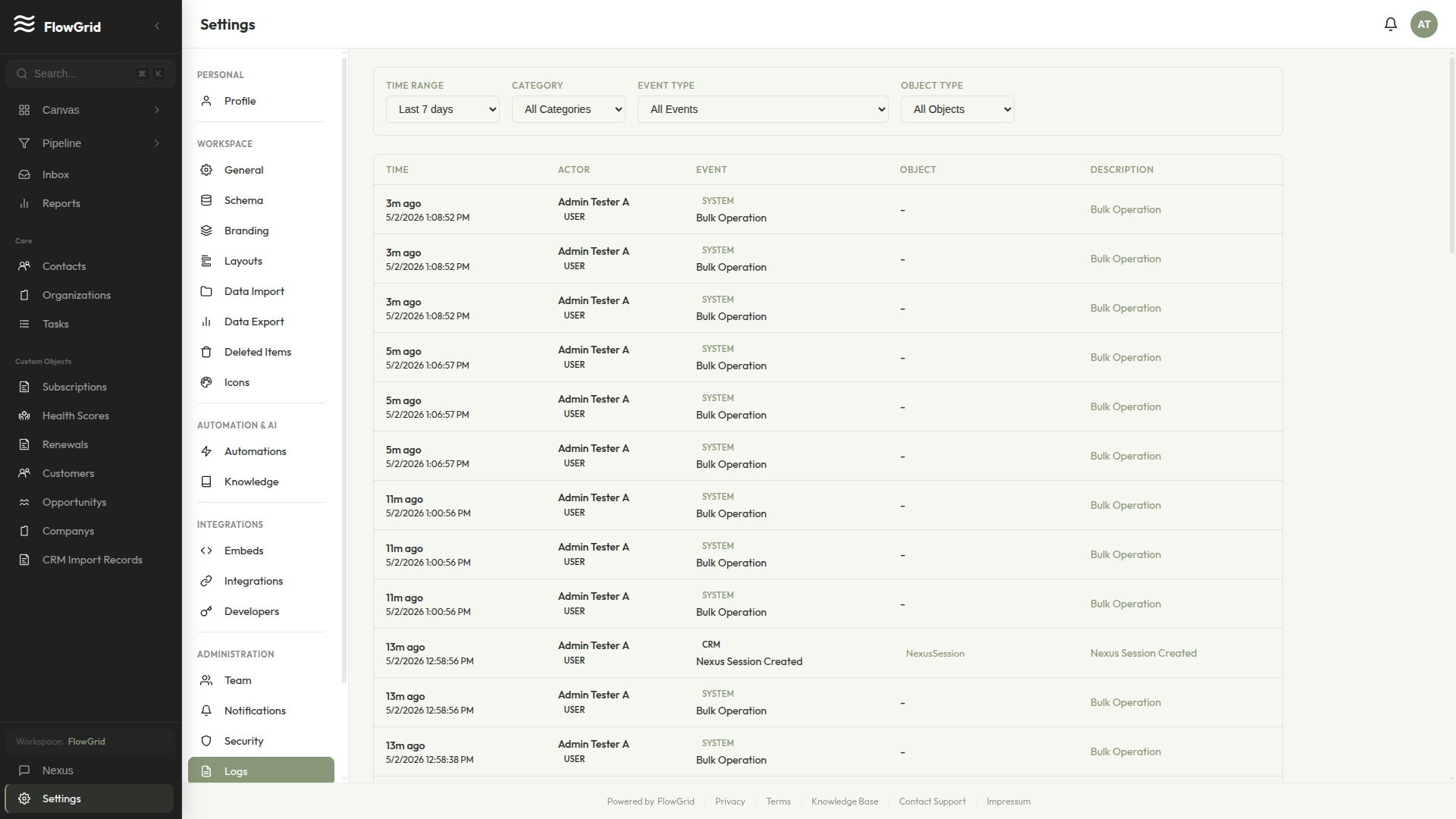
Every action is confirmed before it runs and recorded in your audit log. The AI canvas is included in every seat — not a separate edition you upgrade into.
Privacy as the default
Field-level encryption with keys only your tenant holds.
AES-256-GCM at the field level. Tenant-scoped keys. Multi-tenant row-level isolation enforced at the Postgres layer, so cross-tenant reads aren't a permission setting you have to get right — they're a database-level impossibility.
GDPR-compliant with a DPA your legal contact can pull right now, and an audit log that shows every access. Full security details are public, with the gaps named.
Side-by-side, in plain language
FlowGrid vs Salesforce — different product, different customer.
| Aspect | Salesforce | FlowGrid |
|---|---|---|
| Getting started | Built to be configured before it fits. Objects, page layouts, profiles, and permission sets — usually set up by an admin or an implementation partner. | Import a CSV, describe the dashboard you want, and ship it the same afternoon. No admin required to get the first useful view. |
| Ongoing admin burden | Most teams that run Salesforce well have a dedicated admin — often a certified one — to maintain it. | Changes happen by prompting Nexus and confirming. A non-technical team member can add a field or a pipeline without filing a ticket. |
| Pricing model | Per-seat pricing across editions, with add-ons and modules billed on top. Costs tend to climb as you adopt more of the platform. | One plan, every feature, per-seat pricing. No editions to climb, no add-ons to discover on the renewal. |
| AI assistant | AI is part of the platform, but the most capable pieces tend to sit in higher editions or as separate paid products. | Nexus is the product, not an upsell. 60+ tools bound to your schema, included in every seat. |
| Customising your CRM | Deep and near-limitless — through a configuration model that rewards a trained admin and an AppExchange ecosystem. | Custom objects, fields, and pipelines from day one. You shape them by describing what you want, not by learning a configuration model. |
| Who it's for | Larger and complex organisations that need depth, an extension ecosystem, and the staff to run it all. | Teams of 5–50 that want CRM fundamentals plus an AI canvas — without hiring someone to operate the CRM. |
- Built to be configured before it fits. Objects, page layouts, profiles, and permission sets — usually set up by an admin or an implementation partner.
- Import a CSV, describe the dashboard you want, and ship it the same afternoon. No admin required to get the first useful view.
- Most teams that run Salesforce well have a dedicated admin — often a certified one — to maintain it.
- Changes happen by prompting Nexus and confirming. A non-technical team member can add a field or a pipeline without filing a ticket.
- Per-seat pricing across editions, with add-ons and modules billed on top. Costs tend to climb as you adopt more of the platform.
- One plan, every feature, per-seat pricing. No editions to climb, no add-ons to discover on the renewal.
- AI is part of the platform, but the most capable pieces tend to sit in higher editions or as separate paid products.
- Nexus is the product, not an upsell. 60+ tools bound to your schema, included in every seat.
- Deep and near-limitless — through a configuration model that rewards a trained admin and an AppExchange ecosystem.
- Custom objects, fields, and pipelines from day one. You shape them by describing what you want, not by learning a configuration model.
- Larger and complex organisations that need depth, an extension ecosystem, and the staff to run it all.
- Teams of 5–50 that want CRM fundamentals plus an AI canvas — without hiring someone to operate the CRM.
Where Salesforce wins
When you should stay on Salesforce.
We'll be straight with you: Salesforce earns its reputation. The AppExchange ecosystem is genuinely deep — thousands of vetted apps and integrations FlowGrid simply doesn't match. And Salesforce is built to run very large, very complex organisations: many business units, intricate approval chains, territory models, the works. If your team is scaling well past the SMB range, or your operation depends on a specific AppExchange app or a complex configuration FlowGrid can't express, Salesforce is the better tool — and we'd rather tell you that now than after you've migrated. FlowGrid is for the team Salesforce overshoots, not the team Salesforce was built for.
Verifiable, not assumed
We're early. Here's how you can verify us anyway.
How your data is protected
Field-level AES-256-GCM encryption with tenant-scoped keys. Multi-tenant row-level isolation. Every mutation logged.
Read the security details →Legal & compliance
GDPR-compliant with a Data Processing Addendum. Your legal contact can pull it now — not after a sales call.
Read the DPA →Built in public
v1.3.0 · Jun 20, 2026
v1.3.0
v1.2.0 · Jun 10, 2026
v1.2.0
v1.1.0 · Jun 2, 2026
v1.1.0
Built in public
We don't have customer logos to show you yet.
FlowGrid is early. Instead of borrowed credibility, here's what you can verify yourself:
Honest answers